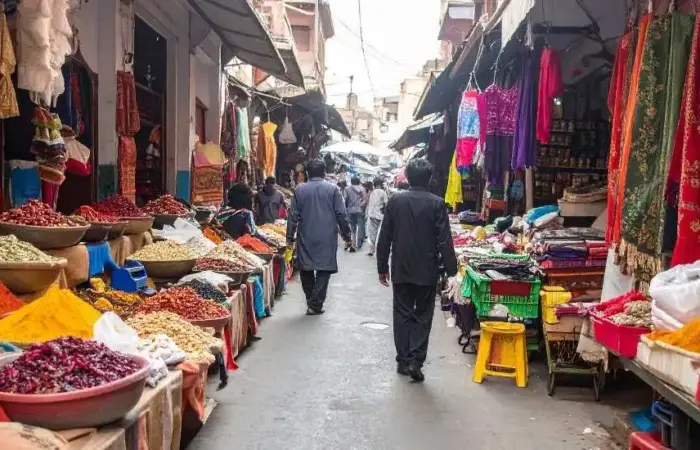


Build the vertical and widescreen versions of a travel video as separate edits from the original footage. A crop that fills a phone screen can remove the people at either end of a group or the landscape that explains a journey. Decide which parts of each shot must remain visible before enlarging it to fill the new frame.
For example, a wide view across a market might show a stallholder on the left and a customer on the right. Keeping only the middle produces a close view of the counter and loses the exchange. That shot needs a different treatment from a portrait of one person standing still.
Choose the shots that can carry a vertical edit
Start by separating close views from scenes that depend on their width. A detail of carved stone or a single dish can suit a narrow frame. A family spread across a viewpoint may need the whole horizontal image. For that group shot, preserving the people matters more than filling every part of the screen.
During the trip, capture an additional vertical view when it is safe and permitted, without discarding the wide establishing shot. Stay clear of traffic and other visitors while filming. Where photography is restricted, put the camera away rather than trying to obtain an alternative angle.
Set the project frame before adjusting each clip
A 9:16 canvas is a useful starting point for a full-screen phone video; 16:9 suits a widescreen version. In CapCut, change the project or canvas ratio first. The guide to changing the frame shape in CapCut distinguishes that setting from cropping an individual clip and explains the routes on mobile, desktop and web.
Once the canvas has the right shape, reposition each shot inside it. Play the moving sections through: a person who starts in the centre may walk out of a fixed crop. A closer crop can work for one part of the movement and fail a moment later. Choose a different shot or adjust its framing over time if the subject cannot remain visible.
For a wide scene you need to retain in full, keep the complete image over a plain or blurred background. Empty space is a reasonable trade for preserving a group or a building’s full outline. Stretching the picture to fill the canvas changes proportions, so avoid it.
Place names need room as well as faces
Add captions after the framing is settled. A short place name may fit easily while a longer temple or station name covers the subject. Check the longest caption against a busy shot, use clear contrast, and keep the text away from the very bottom and right edge where a social app may place its controls.
Fixed margins are only a starting point because the player interface varies. Review the intended post in the destination app’s preview before sharing it. Read the captions at normal phone size, rather than judging them only in an enlarged editing window.
Keep the two versions easy to revise
Preserve the working project before changing its ratio and label the two versions clearly, such as “trip-wide” and “trip-vertical”. Build both from the original media. Reusing a finished export makes its captions part of the picture and leaves less freedom to move them when the frame changes.
If you start editing on a phone during the trip and finish on a computer at home, expect some controls to sit in different places. CapCut Guide’s editing tutorials separate mobile, desktop and web instructions. Follow the route for the version you are using, then check the canvas and clip composition again before continuing with titles.
Export a difficult section before the full film
Try a short export containing the moving subject and your longest caption. Watch the saved file outside the editor. Check that the subject stays in view and that text remains readable through the cuts. If a close crop looks soft, compare it with the original clip before increasing the export resolution; extra output pixels cannot restore detail missing from the source.
After correcting the test, play the complete edit from beginning to end. Keep the original clips and both projects until you have checked the final files. A later request for a wider family version is much easier to accommodate when the uncut scene is still available.